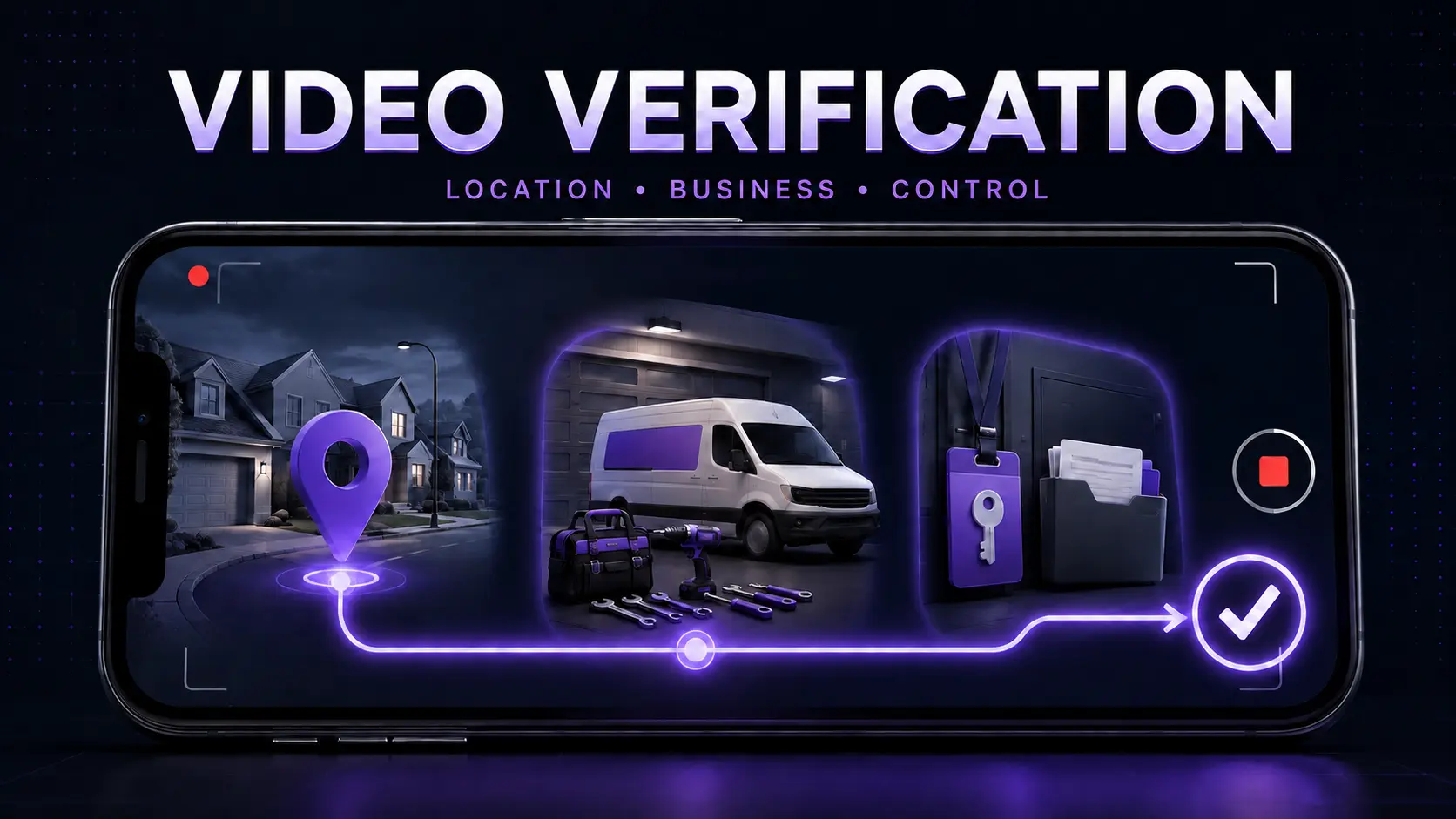
A garage door company is ready to earn calls from Google Maps, but verification stops at a video request. The owner walks around the van, records a toolbox, and uploads—then Google asks for another video. The issue is usually not a need for more footage. It is a missing proof chain. A useful recording must connect the profile to the real operating location, show that the garage-door business exists, and demonstrate that the person recording controls it, all in one live, continuous take.
01
The answer: prove location, operation, and control in one continuous path
Google's video-recording instructions say the video must be live, unedited, unique, complete, recorded and uploaded from a mobile device through the Business Profile, and at least 30 seconds long. For a service-area business, Google asks for evidence of where the business operates, proof that it exists, and proof that the recorder manages or represents it. Those are three separate questions, and a passing-looking collection of tools may answer only one.
Build a route, not a montage. Start with a street sign, building number, nearby landmark, or another clear identifier at the real operating address. Continue without a cut to professional garage-door tools, stocked parts, a workspace, business materials, or a service vehicle. Finish by unlocking a branded van, accessing a business-only area, or showing a non-sensitive permit, invoice, or utility record bearing the same business name.
EdgeLocal viewpoint: verification is an identity-and-operations audit, not a branding contest. A wrapped fleet can make the evidence clearer, but Google also lists tools, equipment, workspace, business cards, branded apparel, and business documents as possible evidence. The goal is a coherent, truthful chain that represents the company already being operated—not props assembled for the recording.
02
Why failed verification costs more than a delayed profile
An unverified or repeatedly rejected profile can delay the company's ability to manage how it appears in Search and Maps. That leaves reviews, categories, hours, services, photos, calls, and website visits outside a dependable local-search operating process. The financial consequence is not a guaranteed number of lost leads; it is missed demand capture while the company cannot confidently maintain and measure a core local surface.
The operational cost grows when everyone improvises. An agency requests a new take, the dispatcher sends screenshots, the owner records at a mail center, and a technician supplies a vehicle photo from another city. The evidence no longer tells one business story. Google says verification methods are selected automatically and may require more than one method, so repeatedly hunting for a preferred option is not a reliable plan.
Do not solve the delay with a virtual office, borrowed address, keyword-stuffed name, duplicate profile, temporary sign, or a location the company does not actually staff. Google's representation guidelines require a real-world location and accurate service area, reject remote mailboxes and ineligible virtual offices, and say a service-area business without a storefront should hide its address from customers.
03
Diagnose the profile before diagnosing the camera
First decide whether the company is a storefront, service-area business, or hybrid. A garage-door team that travels to customers and does not receive them at its base should be configured as a service-area business. A legitimate showroom that is staffed during stated hours and has permanent signage may qualify as a storefront or hybrid. The video evidence should match that operating model; it should not try to turn a home garage or storage unit into a walk-in showroom.
Next compare the profile with durable business evidence. Check the exact name, address used for verification, public address visibility, phone, website, core category, service areas, and ownership account. Google's service-area guidance allows up to 20 named areas, says they should be specific and accurate, and generally keeps the overall boundary within about two hours of the base. A selected city is not proof of an office there.
Then map each rejection reason to a missing gate. ‘Business name not visible’ means identity evidence was unclear. ‘No nearby area shown’ means the location was not established. ‘Missing proof of authorization’ means the video did not show management control. Google's instructions say a rejected submission can be recorded again after reviewing the issues; the second attempt should retain the useful evidence from the first and add what was missing.
04
Record safely without exposing private information
Rehearse the route once without recording. Confirm that the phone can move from the location marker to the business assets without stopping the take or losing the connection. Clean the lens, charge the device, enable the requested camera, microphone, and location permissions, and stage doors, gates, and vehicle keys so the proof-of-control action is simple. Pre-recorded clips and edited footage are not accepted under Google's instructions.
Remove people and sensitive records from the route. Google specifically says not to include other people's faces, bank details, tax or ID numbers, or private information. If a permit, invoice, or utility bill is used, expose only the business name and relevant evidence while covering account numbers, customer details, balances, barcodes, and personal identifiers. A home-based operator can show immediate neighborhood identifiers without touring the private residence.
Do not demonstrate garage-door spring, cable, counterbalance, or live repair work merely to make the business look active. Tools, equipment, parts, vehicle access, workspace access, and redacted records can establish the operation without creating a safety risk. The video verifies the business; it is not a technician skills test or customer-facing repair tutorial.
05
Use the EdgeLocal proof-chain method, then protect the verified asset
EdgeLocal organizes the submission as Location → Business → Control. For Location, show the real base with an external identifier. For Business, connect that base to garage-door equipment and an accurate brand identity. For Control, perform one action or reveal one redacted record that an authorized operator can access. The Verification Shot Plan turns those gates into a short, walkable production brief for the owner.
After upload, Google says review can take up to five business days. Record the submission date, account owner, profile URL, method offered, evidence categories shown, and final result. Do not promise a same-day approval. If the upload fails, retry the upload; if the evidence is rejected, use the stated issue to rebuild the proof chain. Google also allows the verification video to be deleted later from advanced Business Profile settings.
Once verified, protect control of the asset. Keep the company as primary owner, add agencies or staff through Google's documented owner and manager access, and avoid shared passwords or verification codes. Align the profile with the garage-door GBP optimization guide, use the second-location evidence test before creating another profile, and follow the suspension recovery guide if the issue becomes a policy suspension rather than a verification rejection.
Reviewed August 28, 2026. Google sources support the recording requirements, proof categories, review window, service-area rules, profile accuracy, and ownership controls. The three-gate proof chain, shot plan, rejection diagnosis, and operating log are EdgeLocal analysis. This guide does not guarantee verification, rankings, calls, jobs, or revenue.
Sources and methodology
Sources checked for this guide
Source links support the platform, search, or safety facts stated above. The diagnostic framework and commercial recommendations are EdgeLocal analysis.
Make the profile match the proof
Check the business story before you press record.
Use EdgeLocal's free Google Business Profile checklist to confirm that the name, category, service area, phone, website, hours, and supporting evidence describe the same real garage-door operation.
Run the free profile checklist